There is a good reason standalone indoor security cameras have become one of the most popular home gadgets of the last few years. They are affordable, easy to set up, and require nothing more than a power outlet and a Wi-Fi connection to start working.
No complicated wiring, no professional installation, and — best of all — no mandatory subscription eating into your budget every month.
Whether you live in a house or a compact apartment, a single well-placed camera can completely change how you feel about your space when you are not in it. Point one at your front door and know the moment someone knocks or drops off a package.
Set one up in the living room to keep an eye on your dog while you are at the office, or check in on an elderly parent who lives alone.
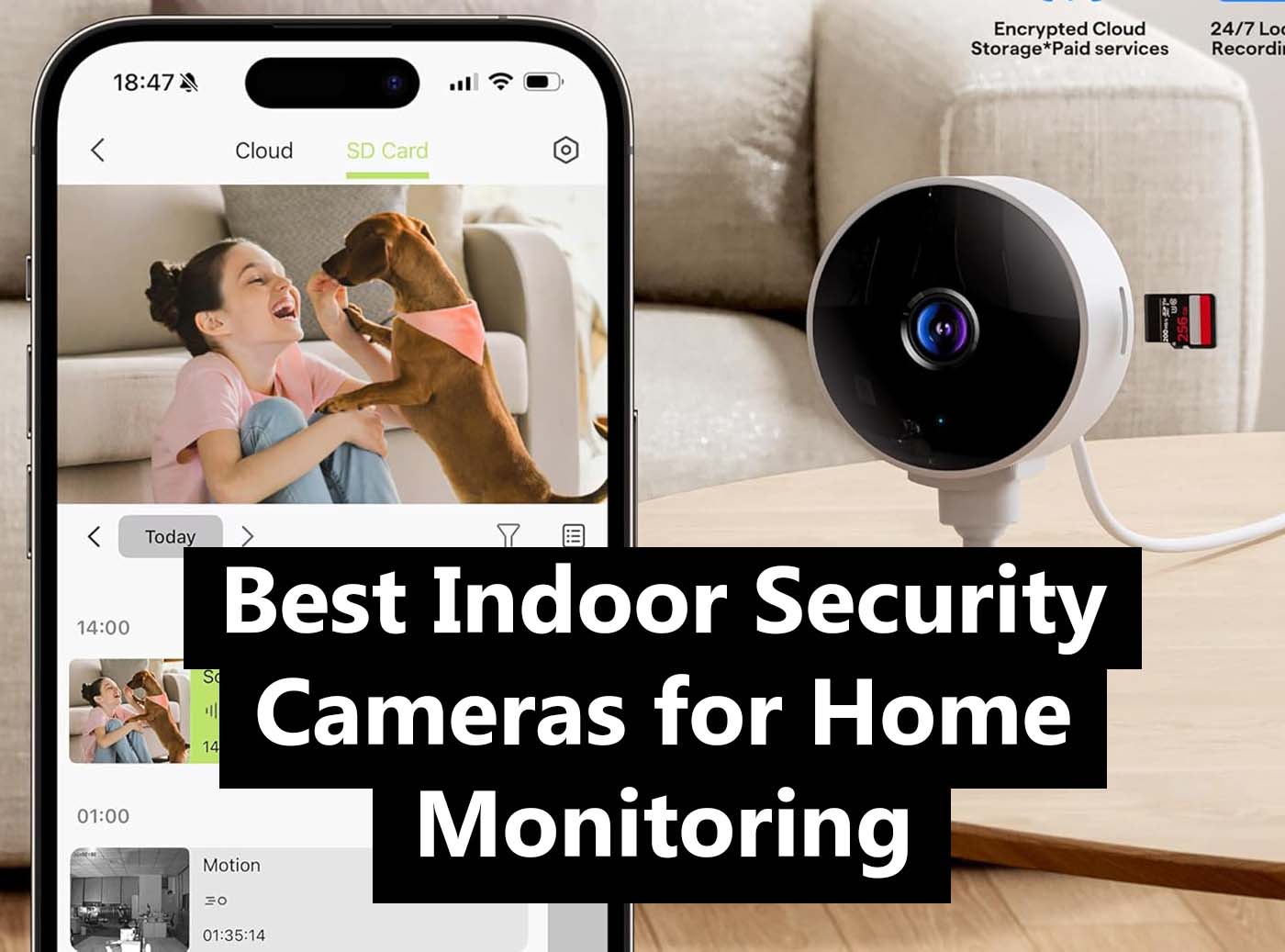
Parents use them to monitor kids playing in another room; caregivers and employers use them to keep a general eye on housekeepers or babysitters during working hours. The use cases are endless, and the cameras handle all of them with quiet efficiency.
Modern indoor cameras pack a surprising amount of capability into a small, unobtrusive body. Most shoot in sharp, high-definition resolution — enough to make out faces, read labels, and see what is happening clearly even in low light, thanks to built-in night vision.
Many models include a wide-angle lens that covers a full room without leaving blind spots, and pan-and-tilt motors let you remotely swing the camera left, right, up, and down from your phone. Motion detection is standard across the board, triggering instant alerts the moment something moves in frame.
All of the cameras on this list can be viewed live from a smartphone app, whether you are in the next room or on the other side of the world.
Recordings are stored locally on a microSD card — no cloud, no monthly fee, no worrying about a subscription lapsing and taking your footage with it. Some models also offer optional cloud storage for those who want it, but it is never a requirement to get full value out of the camera.
Below, you will find a curated selection of the best indoor security cameras available right now on Amazon, chosen for their reliability, image quality, ease of use, and value. Whether you are buying your first camera or adding to an existing setup, there is a strong option here for every need and budget.
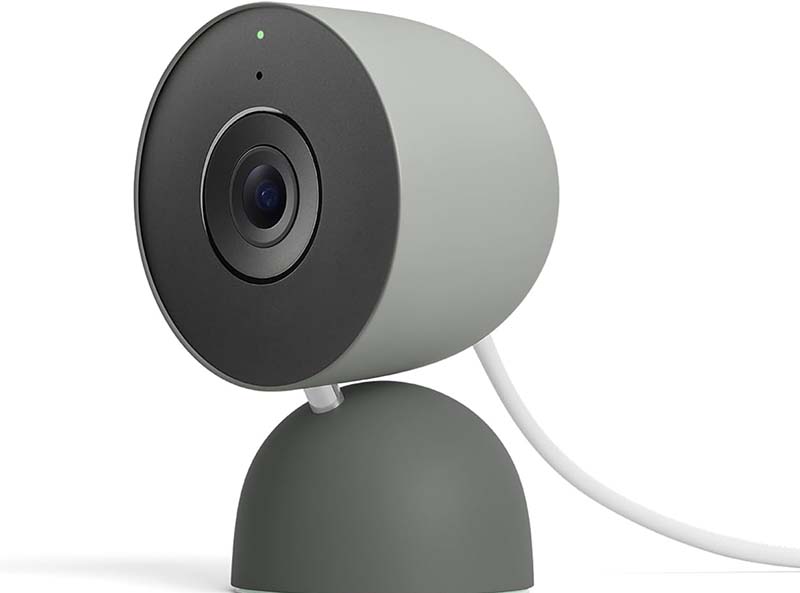
Google Nest Cam Indoor (Wired, 3rd Gen) – Smart Security Powered by Gemini AI
- 2K HDR video with rich color and contrast
- Gemini AI-powered person, package, and animal detection
- Familiar face recognition via Google Home Premium
- Two-way audio with noise cancellation
- Dual-band Wi-Fi 6 for stable connectivity
- Customizable privacy zones and activity zones
At $100, this wired camera delivers 2K HDR video that looks genuinely impressive on a phone screen, with punchy colors, solid contrast, and enough detail to make out a package label or a visitor’s face from across the room.
But the real differentiator here is the integration of Google’s Gemini AI, which transforms this from a passive recorder into something that actually tries to understand what it sees. The camera works seamlessly with Google Home and Amazon Alexa, supports dual-band Wi-Fi 6 for a rock-solid connection, and lets you carve out privacy zones for areas you’d rather not monitor.
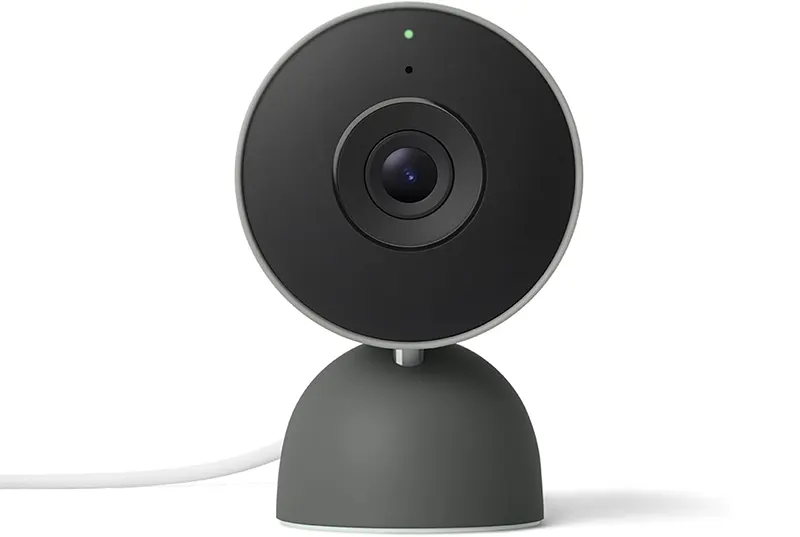
Setup takes minutes — plug it in, scan the QR code, and you’re live. The included stand works on flat surfaces, or you can wall-mount it with the swivel bracket.
One free month of Google Home Premium comes included; after that, you’ll need to subscribe for the facial recognition and extended cloud storage features. For households already living in the Google ecosystem, it’s the obvious choice.
Main Features
✔ 2K HDR Video Quality
The jump from 1080p to 2K HDR makes a real difference in everyday use — not just on paper. Footage captured in mixed lighting conditions comes out well-balanced, with shadows that aren’t crushed and highlights that aren’t blown out.
Whether you’re reviewing a clip from the middle of the night or trying to zoom in on something specific, the image holds up better than most cameras in this price range.
High Dynamic Range means the camera adjusts exposure dynamically across the frame, so a bright window in the background won’t turn the rest of the room into a silhouette. It’s a practical upgrade that homeowners with tricky lighting situations will appreciate immediately.
✔ Gemini AI Smart Detection
Google’s Gemini AI integration is the feature that sets this camera apart from every other indoor option at the $100 price point.
The camera doesn’t just detect motion — it classifies it. It can tell you whether a person, an animal, or a package triggered the alert, so you’re not wading through notifications every time a shadow moves across the wall.
For households that subscribe to Google Home Premium, the camera goes a step further with familiar face recognition.
Once it learns who lives in your home, it can actually name the person in the alert — “Marco just arrived home” instead of just “Person detected.” That level of context is genuinely useful.
✔ Two-Way Audio with Noise Cancellation
The built-in microphone and speaker are better than average. Conversations through the app come through clearly on both ends, and the noise cancellation does a decent job filtering out background hum from appliances or street traffic.
Whether you’re telling a delivery driver where to leave a package or checking in on a family member, the audio quality doesn’t feel like an afterthought.
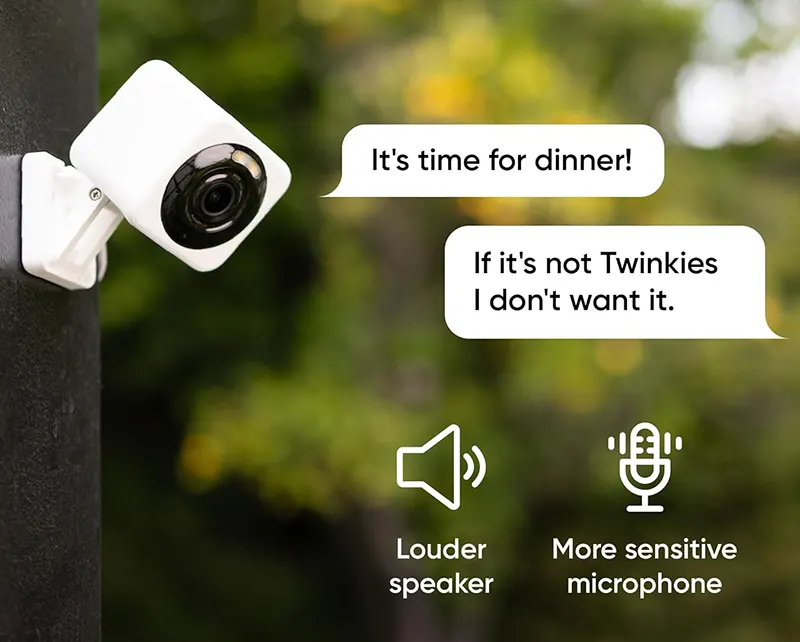
The speaker output is loud enough to be heard across a standard-size room, which also makes it useful as a basic deterrent if someone unexpected wanders into frame.
✔ Customizable Privacy and Activity Zones
Privacy zones let you black out parts of the camera’s view entirely — useful if the frame happens to capture a neighbor’s window or a spot you simply don’t want recorded.
Activity zones, on the other hand, let you define which areas within the frame should actually trigger alerts, cutting down on irrelevant notifications significantly.
Both features are easy to configure in the Google Home app and can be adjusted anytime. For a camera that’s going to be running 24/7, having this level of control over what gets recorded and what doesn’t is a real quality-of-life feature.
✔ Wi-Fi 6 and Broad Smart Home Compatibility
Dual-band Wi-Fi 6 support means this camera maintains a stable connection even in homes with a lot of competing devices on the network.
Dropped streams and laggy live views are much less common than on older Wi-Fi 5 cameras. The Nest Cam also works with Amazon Alexa, so you can pull up the live feed on an Echo Show or Fire TV without having to switch ecosystems.
Google Home routines allow you to build automations around the camera — for example, turning on lights when the camera detects motion after dark — adding a layer of smart home integration that budget cameras simply can’t match.
⦿ Gemini AI delivers genuinely smart, context-aware alerts
⦿ 2K HDR video holds up in challenging lighting conditions
⦿ Familiar face recognition is a standout feature
⦿ Wi-Fi 6 ensures a stable, low-latency connection
⦿ Works with both Google Home and Amazon Alexa
⦿ Full feature set requires a paid Google Home Premium subscription after the free trial
⦿ No local storage option — cloud only
⦿ Best value if you’re already in the Google ecosystem
WYZE Cam v4
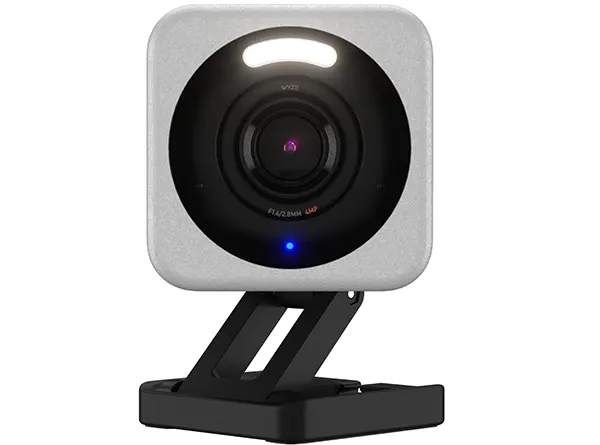
- 2.5K QHD resolution with vibrant color night vision
- IP65-rated weatherproof body for indoor or outdoor use
- Built-in siren and spotlight for active deterrence
- Smoke and CO alarm detection
- Magnetic base for tool-free repositioning
- Free local storage via microSD card (no subscription required)
The 2.5K QHD resolution captures remarkably sharp footage — sharp enough to read text on a shirt or make out a license plate from a reasonable distance. The color night vision is a serious upgrade from older infrared-only models, producing colorful, recognizable images in near-darkness rather than the flat green-grey footage of the previous generation.
The IP65 weatherproofing means you can mount it outside under an overhang if needed, making it unusually versatile for its size.
Throw in a built-in spotlight, a siren, smoke alarm detection, and free local storage via microSD, and the Wyze Cam v4 starts looking less like a budget camera and more like a genuinely capable piece of kit. The magnetic base snaps onto any metal surface for instant repositioning — no tools, no hassle.
Wyze offers optional cloud storage through its Cam Protect plan, but the core features work without ever paying a subscription fee.
Main Features
✔ 2.5K QHD Resolution
Most cameras at this price point top out at 1080p, which makes the Wyze Cam v4’s 2.5K QHD sensor a genuine differentiator.
The additional resolution isn’t just about bragging rights — it makes a practical difference when you need to zoom into a clip after the fact to identify a face or read something in the frame. Details that would be a blurry mess on a 1080p feed come through with surprising clarity.
Paired with a wide dynamic range sensor, the camera also handles mixed lighting reasonably well, avoiding the washed-out look you get with cheaper sensors. Indoor scenes with both bright windows and darker corners are captured with more visual balance than you’d expect at this price.
✔ Color Night Vision with Spotlight
The built-in spotlight activates automatically in low light, producing full-color night footage instead of the monochrome infrared images that most budget cameras default to.
Color matters more than people realize — it’s the difference between knowing someone was wearing a red jacket and seeing a grey blob in the dark.
The spotlight also doubles as a deterrent. Motion-triggered illumination tends to discourage casual intruders who’d prefer not to be seen or recorded. For a $35 camera, having this feature built in rather than as an add-on accessory is a real win.
✔ IP65 Weatherproofing
The IP65 rating means the Wyze Cam v4 can handle dust, rain, and humidity without flinching — unusual for a camera primarily marketed as an indoor option.
This makes it a legitimate choice for covered porches, garages, or any semi-exposed location where a traditional indoor camera wouldn’t last.
The flexibility to use one camera model across multiple locations in and around the home is a genuine practical advantage. Buy two or three, use them wherever they’re needed, and rotate them as your monitoring priorities change.
✔ Smoke and CO Alarm Detection
One of the Wyze Cam v4’s more underrated features is its ability to listen for the specific audio pattern of smoke and carbon monoxide alarms.
If an alarm goes off while you’re away, the camera sends an immediate notification to your phone. For a device that’s already watching the room, this is a nearly costless upgrade to home safety.
It doesn’t replace dedicated smoke detectors, but as a secondary layer of awareness — especially when you’re traveling — it adds meaningful peace of mind without requiring any extra hardware.
✔ Free Local Storage
No subscription required to save and review footage. Insert a microSD card (up to 256GB supported) and the camera records continuously or on motion-triggered events, storing everything locally.
This is a significant advantage over cloud-only cameras, where losing access to your footage is just one billing lapse away.
For users who are privacy-conscious or simply don’t want another monthly recurring charge, the Wyze Cam v4’s local storage capability is one of its strongest selling points.
⦿ Exceptional value at around $35
⦿ 2.5K resolution punches well above its price class
⦿ IP65 rating allows indoor and outdoor use
⦿ Color night vision with built-in spotlight
⦿ Free local storage — no subscription needed for core features
⦿ Smoke and CO alarm detection adds a safety layer
⦿ Live feed can take a few seconds to load in the app
⦿ Person detection and extended cloud storage require a Cam Protect subscription
⦿ App interface feels basic compared to premium competitors
Eufy Security Indoor Camera E30 – 4K Clarity with No Monthly Fees
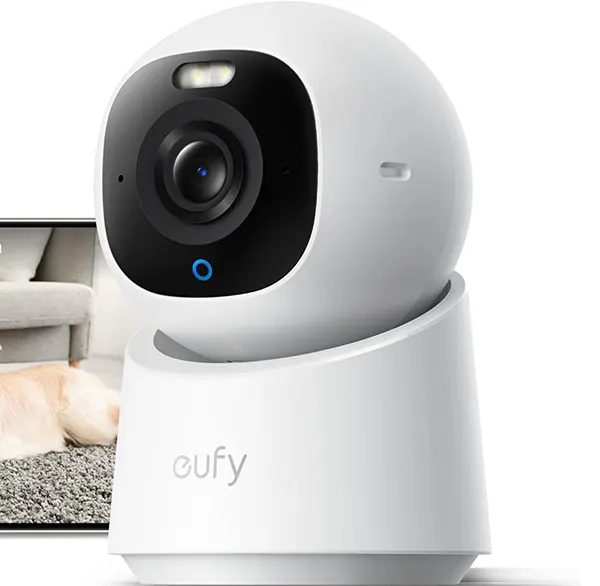
- 4K UHD resolution with full-color night vision
- 360° pan and tilt coverage with auto-tracking
- Human and pet AI detection with zero false alarms
- Apple HomeKit, Google Home, and Alexa compatible
- Local storage via microSD — no subscription required
- Two-way audio with built-in siren
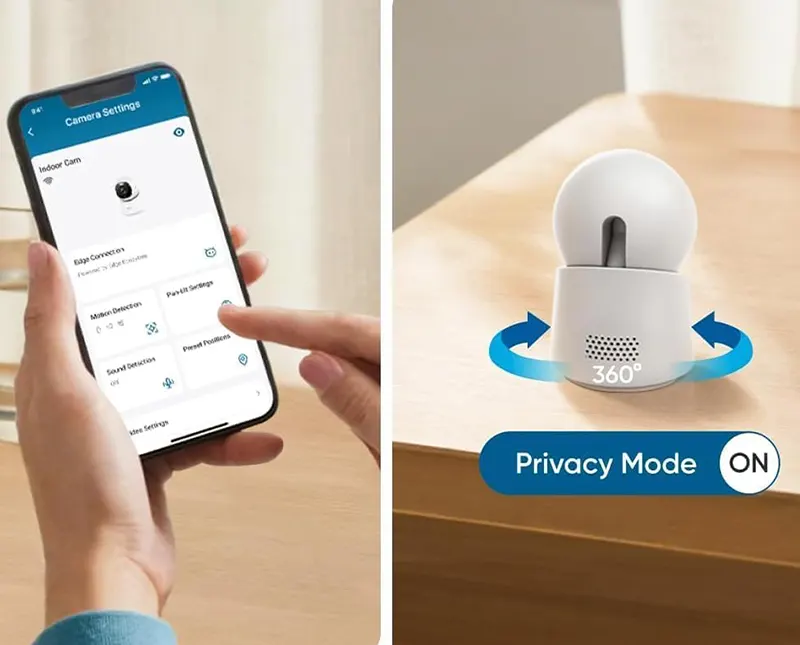
The 360° pan-and-tilt motor covers every corner of a room without you having to manually redirect it, and the AI-powered auto-tracking keeps a subject in frame as it moves. eufy’s onboard processing handles human and pet detection with impressive accuracy, minimizing the kind of phantom alerts that make people eventually turn notifications off entirely.
Full compatibility with Apple HomeKit, Google Home, and Amazon Alexa makes it one of the most broadly compatible indoor cameras available. The color night vision holds up well in near-total darkness, producing recognizable footage that’s actually useful after the fact.
For pet owners, baby monitors, or anyone who wants comprehensive indoor coverage without an ongoing subscription draining the budget, the E30 is one of the smartest buys in this category.
Main Features
✔ 4K UHD Resolution
Four-megapixel 4K captures a level of detail that genuinely separates this camera from 2K and 1080p competitors. Faces are sharper, text is readable, and zooming into a recorded clip doesn’t dissolve into a pixelated mess.
For a camera covering a nursery, living room, or home office, the additional clarity adds real value in situations where the footage needs to be reviewed carefully.
The 4K sensor also supports a higher digital zoom ratio, which means you can crop a clip significantly in post without losing legible detail — useful if an incident occurs at the edge of the frame.
✔ 360° Pan-Tilt with Auto-Tracking
The motorized pan-and-tilt base covers an entire room from a single mounting point — no blind spots, no need to buy multiple cameras to cover a space.
The auto-tracking feature actively follows a detected subject as it moves through the frame, keeping it centered without any input from the user.
This makes the E30 particularly well-suited for monitoring pets or young children who don’t stay in one place. You can also manually control the pan and tilt remotely through the eufy Security app, which is smooth and responsive.
✔ AI Human and Pet Detection
eufy’s onboard AI processing is genuinely one of the best in class at this price point. The camera distinguishes between humans, pets, and other moving objects — so you’re not getting an alert every time a ceiling fan moves or a curtain shifts in a draft.
The accuracy of these detections reduces notification fatigue significantly, which means you’re more likely to actually check the alerts that do come through.
All AI processing happens locally on the camera’s chip rather than in the cloud, which also means faster response times and better privacy.
✔ Apple HomeKit Compatibility
Full Apple HomeKit support is still relatively rare among cameras in this price range, and it’s a significant advantage for iPhone and iPad users.
HomeKit Secure Video provides end-to-end encrypted storage via iCloud, and integration with the Home app means you can control the camera alongside all your other HomeKit devices in one place.
This level of ecosystem integration matters if you’ve already invested in Apple’s smart home platform — it makes the E30 feel native to the system rather than like a third-party addition bolted on.
✔ Subscription-Free Local Storage
Every core feature of the eufy E30 works without paying a monthly fee. Video is stored locally on a microSD card (up to 128GB), and the camera records continuously or on detected events depending on your preference.
There’s an optional eufy Cloud plan if you want offsite backup, but it’s genuinely optional rather than the only way to access your footage.
This positions the E30 as one of the best long-term value cameras in the category — the upfront cost is the entire cost.
⦿ 4K resolution at a mid-range price
⦿ No subscription required for any core feature
⦿ Apple HomeKit support is rare at this price point
⦿ Accurate AI detection minimizes false alerts
⦿ 360° pan-tilt coverage with active subject tracking
⦿ No privacy shutter for hardware-level assurance when not in use
⦿ microSD card sold separately
⦿ eufy had a past cloud security incident — privacy-sensitive users should note this
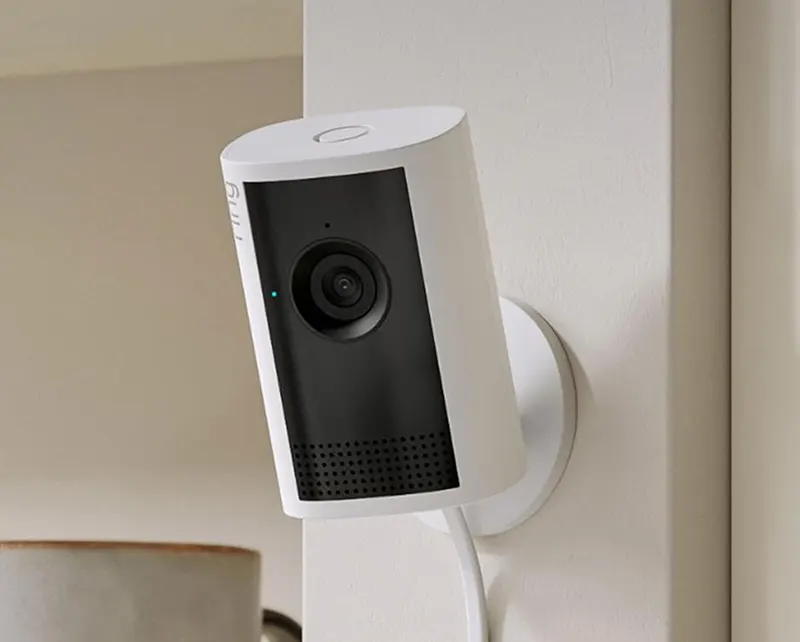
Ring Indoor Cam Plus – The Alexa-Ready Camera That Covers Every Angle
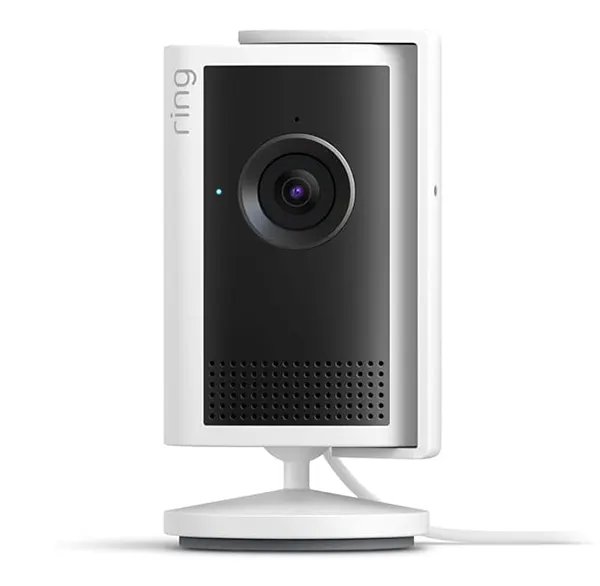
- Retinal 2K video for crisp, true-to-life clarity
- 4x enhanced digital zoom for detailed close-ups
- Low-Light Sight for full-color footage in dim conditions
- Manual privacy cover with physical shutter
- End-to-end encryption and mandatory two-factor authentication
- Seamless integration with Alexa and Echo Show devices
The Retinal 2K sensor produces footage that looks noticeably sharper than standard 1080p, and the Low-Light Sight feature does a legitimate job of pulling color footage out of dark rooms rather than switching to washed-out infrared.
The 4x enhanced zoom is a practical addition — when reviewing clips, being able to meaningfully enlarge a section of the frame without losing legibility is more useful than it might sound.
Ring’s privacy credentials here are also genuinely solid: the manual privacy cover physically blocks the lens and microphone, there’s mandatory two-factor authentication, and end-to-end encryption is available for subscribers.
Setup is straightforward, the 6.5-foot power cord gives you some placement flexibility, and pulling up the live feed on an Echo Show display is seamless.
The Ring app is polished and intuitive. The main caveat worth knowing upfront is that many of the more interesting features — including saved clips, person detection, and extended live view — require a Ring Protect subscription. For users committed to the Amazon ecosystem, this remains the indoor camera to beat.
Main Features
✔ Retinal 2K Video with Low-Light Sight
Ring’s Retinal 2K resolution sits between standard 1080p and full 4K, offering a meaningful clarity upgrade without the storage demands of a higher-resolution camera.
The Low-Light Sight feature takes this further by producing color images in dim environments where most cameras would default to black-and-white night vision, making it easier to identify what’s actually happening in a poorly lit room.
The visual difference is noticeable in side-by-side comparisons — faces are sharper, edges are cleaner, and low-light footage retains enough color information to be genuinely useful rather than just technically capturing motion.
✔ 4x Enhanced Digital Zoom
The 4x enhanced zoom allows you to meaningfully enlarge a specific area of the frame during live view or clip review.
This is particularly valuable when an incident occurs at the edge of the camera’s field of view, or when you need to confirm a specific detail — a face, a label, or a number — that would otherwise require guesswork.
Combined with the 2K base resolution, the zoom holds up better than the digital zoom on most 1080p cameras, which tend to become noticeably degraded before reaching meaningful magnification.
✔ Physical Privacy Cover
The manual privacy shutter is a hardware feature that physically blocks the lens and microphone, providing a level of privacy assurance that software-only privacy modes can’t replicate. When the cover is closed, there’s no technical path for the camera to capture audio or video — it’s simply blocked.
For households where family members feel uncomfortable with a camera running around the clock, the ability to physically disable it without unplugging the device is a meaningful trust feature.
✔ End-to-End Encryption and Two-Factor Authentication
Ring has invested significantly in security infrastructure in recent years, and the Indoor Cam Plus reflects that.
End-to-end encryption ensures that footage stored in the cloud can only be viewed by the account holder, and mandatory two-factor authentication closes off the most common account compromise vectors. These aren’t optional security features — they’re built into the product by default.
Customizable activity zones let you designate which areas of the frame should trigger alerts, cutting down on irrelevant notifications and keeping your attention focused on what actually matters.
✔ Amazon Alexa and Echo Show Integration
The Ring Indoor Cam Plus integrates with Amazon Alexa more deeply than any non-Ring camera on the market. Saying “Alexa, show me the living room” pulls up the live feed on any Echo Show display instantly.
Motion alerts can be announced through Echo speakers, and the camera can be incorporated into Alexa routines — for example, automatically displaying the camera feed when the front door opens.
For households with multiple Echo devices, this creates a genuinely useful ambient monitoring experience without having to interact with a phone.
⦿ Best-in-class Alexa and Echo Show integration
⦿ Physical privacy shutter for hardware-level security
⦿ End-to-end encryption and mandatory 2FA
⦿ Low-Light Sight produces color footage in dim conditions
⦿ Clean, intuitive Ring app
⦿ Clip saving and person detection require a Ring Protect subscription
⦿ No pan-tilt capability — fixed viewing angle only
⦿ Deep Amazon ecosystem lock-in
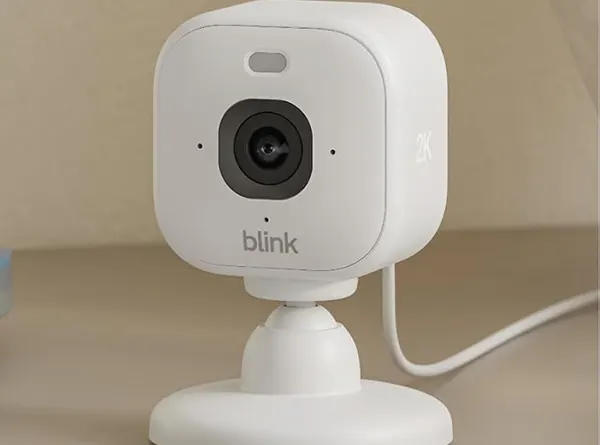
Blink Mini 2K+ – Compact, Affordable, and Surprisingly Capable
- 2K video resolution with enhanced audio
- Built-in color night vision and spotlight
- Motion detection with customizable activity zones
- Two-way audio for real-time communication
- Works with Alexa for hands-free control
- Compact plug-in design fits nearly anywhere
The Blink Mini 2K+ is the newest iteration of that philosophy. The upgrade from the previous Mini model brings a 2K sensor, a built-in spotlight for color night footage, and enhanced audio — meaningful improvements that justify the modest price bump.
The camera is genuinely tiny, which makes it easy to tuck onto a shelf, bookcase, or cabinet without it dominating the room. Alexa integration is seamless, as you’d expect from an Amazon-owned brand, and the motion detection alerts arrive quickly with minimal lag.
Local storage is available with the Blink Sync Module 2 and a USB flash drive, but the most convenient path for most users is the Blink Subscription Plan, which enables cloud storage, person detection, and extended live view.
Blink’s Prime Day pricing is consistently among the best in the industry, often cutting camera prices by 40-50%. If you catch it on sale, the Blink Mini 2K+ is close to unbeatable at its price point.

Main Features
✔ 2K Video with Enhanced Audio
The jump to 2K resolution over the original Mini’s 1080p makes a visible difference in footage detail. Text, faces, and objects at the edges of the frame are noticeably sharper, and the enhanced audio system picks up sound more clearly in both directions.
For a camera primarily designed for ambient monitoring and the occasional two-way conversation, the improvements hit the right notes.
The image processing is competent for the price point — not as refined as Nest or Arlo, but well above what you’d expect from a camera in this range during regular sale periods.
✔ Color Night Vision with Built-In Spotlight
The integrated spotlight activates automatically when motion is detected in low light, flipping the camera’s night mode from black-and-white infrared to full color.
The practical benefit is significant: color footage provides far more identifying detail than monochrome IR, from clothing colors to the appearance of a face.
The spotlight also serves as a visual deterrent, illuminating the space the moment it detects motion — useful for any location where you’d rather a potential intruder know they’ve been spotted.
✔ Compact and Discreet Design
The Blink Mini 2K+ is one of the smallest indoor security cameras on the market. It measures a few inches in any direction and weighs almost nothing, which means it can disappear into a room’s decor far more effectively than bulkier cameras. The included stand works on flat surfaces, and it can also be wall-mounted if preferred.
This size advantage makes it particularly well-suited for apartments, small rooms, or any situation where you’d prefer the camera not to be an obvious focal point.
✔ Alexa Integration and Hands-Free Control
As an Amazon product, Blink’s Alexa integration is as deep as it gets. Voice commands control the camera, pull up live feeds on Echo Show displays, and trigger routines.
The camera also supports Alexa Guard, which uses it as part of a broader smart home security setup that can automatically alert you to unexpected sounds.
For Echo households, the ability to glance at the camera feed by simply asking out loud is a convenience that adds up over time.
✔ Motion Detection with Activity Zones
Customizable activity zones let you focus motion detection on the parts of the frame that actually matter — keeping a doorway or entryway in scope while ignoring a busy street visible through a window. This cuts false alerts dramatically and makes the notification feed more actionable.
Sensitivity settings are also adjustable per zone, which gives you fine-grained control over what triggers an alert without having to disable motion detection entirely for an area.
⦿ Outstanding price, especially during Amazon sales
⦿ Compact size fits virtually anywhere
⦿ Color night vision with integrated spotlight
⦿ Seamless Alexa and Echo Show integration
⦿ Simple setup, no technical knowledge required
⦿ Person detection and cloud storage require a Blink subscription
⦿ Local storage requires a separate Sync Module and USB drive
⦿ No pan-tilt capability
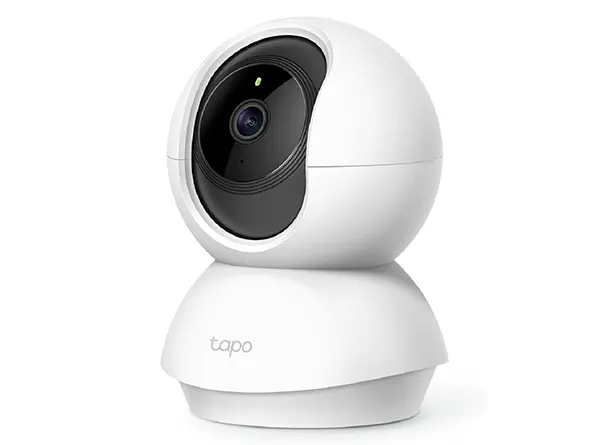
TP-Link Tapo C200 – The Budget Pan-Tilt Camera That Delivers the Basics Brilliantly
- 1080p Full HD video with 360° horizontal and 114° vertical pan-tilt
- Advanced night vision up to 30 feet
- Motion detection with instant phone alerts
- Two-way audio for real-time communication
- Works with Alexa and Google Home
- Free local storage via microSD card (no subscription required)
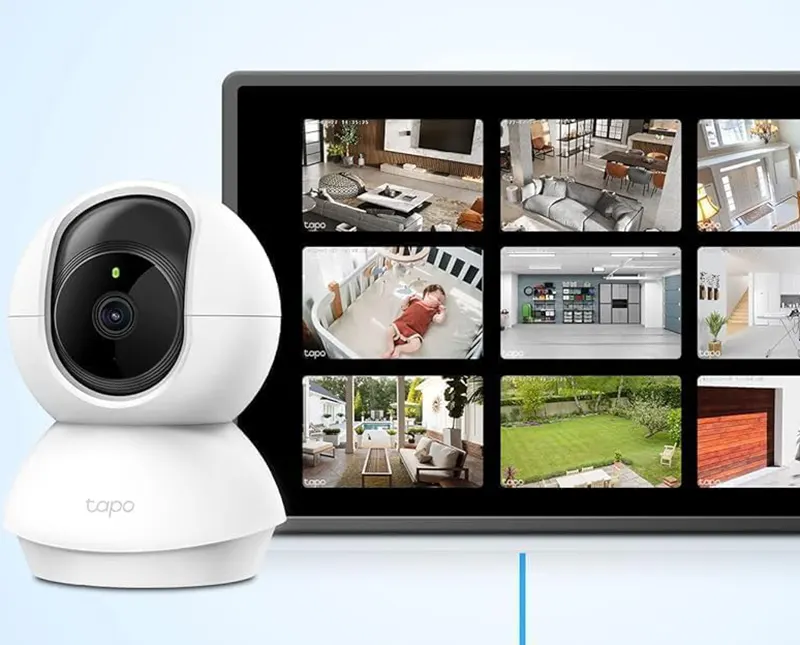
It does the fundamentals extremely well: 1080p video, 360° horizontal pan and 114° vertical tilt, solid night vision up to 30 feet, motion alerts, and two-way audio.
All of it works reliably, the Tapo app is clean and responsive, and there are no mandatory subscriptions for any core feature — footage is stored locally on a microSD card.
The pan-tilt motor is smooth and quiet, and you can control it remotely through the app to manually scan a room or let the camera follow a detected subject automatically. Setup takes about five minutes: plug it in, download the app, scan the QR code.
That’s it. Alexa and Google Home compatibility means you can pull up the live feed with a voice command. At its typical price of around $25-30, the Tapo C200 represents extraordinary value for households that want full room coverage without the complexity or the ongoing cost of a subscription-based camera.
Main Features
✔ 360° Pan and 114° Tilt Coverage
The motorized pan-tilt system covers every corner of a room from a single camera placement. The full 360° horizontal sweep eliminates blind spots, and the 114° vertical range handles the difference in height between a camera mounted on a shelf and a person moving across the floor below it. This level of coverage from one device removes the need to buy multiple fixed cameras to monitor a large space.
Remote panning through the Tapo app is smooth and low-latency, making it practical to casually scan a room while away from home rather than just relying on motion clips.
✔ Night Vision up to 30 Feet
The infrared night vision system activates automatically in low-light conditions, extending visibility up to 30 feet in complete darkness. For a typical room in a residential home, this covers the entire space with room to spare.
The infrared LEDs are well-calibrated on this model, producing clear black-and-white footage without the overexposed hot spots that plague cheaper cameras.
While infrared-only night vision doesn’t offer color detail, the Tapo C200 captures enough contrast and detail in its night footage to be reliably useful for identification purposes.
✔ Subscription-Free Local Storage
Insert a microSD card and the Tapo C200 stores footage continuously without ever charging you a monthly fee.
This is one of the clearest advantages of TP-Link’s Tapo lineup over cloud-dependent competitors — you own your footage from day one and can access it anytime without worrying about a subscription lapsing.
Optional Tapo Care cloud storage is available for users who want offsite backup, but it’s entirely optional. The camera works completely without it.
✔ Two-Way Audio
The built-in speaker and microphone allow live two-way conversations through the Tapo app. Audio quality is functional and clear enough for everyday communication — telling a pet to get off the couch, greeting a family member, or giving instructions to someone at home. The speaker is loud enough to be heard clearly across a standard room.
This feature also works in conjunction with the motion detection system, allowing the camera to play a preset message or trigger an alert sound when motion is detected.
✔ Alexa and Google Home Integration
The Tapo C200 works with both Amazon Alexa and Google Home, enabling live feed access through Echo Show and Nest Hub displays via voice commands.
This compatibility covers the two dominant smart home ecosystems without requiring any special configuration or additional hardware.
For homes already running smart home routines, the Tapo C200 can slot into existing automations — turning on when a smart lock is triggered, for example, or displaying on a screen when someone arrives home.
⦿ Exceptional price for a full pan-tilt camera
⦿ No subscription required for any core feature
⦿ 360° coverage eliminates the need for multiple cameras
⦿ Works with both Alexa and Google Home
⦿ Clean, beginner-friendly Tapo app
⦿ 1080p resolution is behind newer competitors offering 2K or 4K
⦿ Night vision is infrared only — no color night footage
⦿ 2.4GHz Wi-Fi only — no 5GHz band support
Arlo Essential Indoor Pan Tilt Camera 2K – Premium Coverage Without the Premium Price Tag

- 2K HDR video with 180° wide field of view
- 360° pan and 180° tilt motorized coverage
- Color night vision for full detail in low light
- Motion-activated spotlight and siren
- Privacy shield that physically blocks lens and mic
- Compatible with Alexa, Google Assistant, and Apple HomeKit
ns common in real homes. The 360° pan and 180° tilt gives it the range to cover a full room from a single mounting point, and the color night vision produces recognizable footage in near-darkness without requiring a spotlight to activate.
The built-in privacy shield is a physical mechanism that blocks both the lens and the microphone simultaneously — a hardware privacy feature that’s genuinely reassuring for households where the camera is running in shared spaces.
Broad smart home compatibility across Alexa, Google Assistant, and Apple HomeKit makes it one of the most universally deployable cameras in its category.
Arlo’s Secure subscription plan unlocks AI-powered alerts and 30-day cloud storage; without it, the camera still records locally and delivers basic motion alerts.

Main Features
✔ 2K HDR Video Quality
Arlo’s 2K HDR sensor is one of the better-tuned image sensors in the mid-range indoor camera category. HDR processing handles high-contrast scenes well — windows, lamps, and other bright light sources in the frame don’t wash out the rest of the image, which is a recurring problem with single-exposure sensors in consumer cameras.
The 180° wide field of view also captures more of the room in the static frame, reducing the need to constantly pan the camera to monitor a large space.
✔ Color Night Vision
Rather than relying on infrared LEDs that produce flat, monochrome footage, the Arlo Essential Pan Tilt uses a wide-aperture lens and low-light sensor processing to capture color footage in near-darkness.
The results are considerably more useful for identification purposes — you can tell what color someone’s clothes are, distinguish between a cat and a raccoon, and generally gather more actionable information from nighttime footage.
This is a feature that used to be limited to premium cameras and is now making its way down to mid-range options like this one, and Arlo’s implementation is among the better ones.
✔ Physical Privacy Shield
The integrated privacy shield is a motorized cover that physically blocks both the camera lens and the microphone when activated through the app or a voice command.
Unlike software privacy modes that simply stop recording but leave the hardware accessible, a physical shield provides a level of assurance that the device cannot be capturing anything regardless of software state.
This feature is particularly valued in bedrooms, home offices, or any space where family members want the option to disable monitoring with complete confidence.
✔ Motion-Activated Spotlight and Siren
The built-in spotlight and 80dB siren function as active deterrents. When motion is detected, the camera can automatically activate the spotlight — illuminating the area and letting anyone in the room know they’ve been noticed.
The siren can be triggered manually through the app or set to activate automatically on certain detection events.
For households where the indoor camera also covers a garage, mudroom, or entry point, the deterrent capability adds a practical security dimension beyond simple recording.
✔ Universal Smart Home Compatibility
Alexa, Google Assistant, and Apple HomeKit support in a single camera is relatively unusual in this price bracket.
This means the Arlo Essential Pan Tilt works seamlessly regardless of which smart home platform a household uses — an important consideration for mixed-ecosystem homes or anyone who’s not fully committed to one platform.
HomeKit Secure Video is supported for iCloud subscribers, providing end-to-end encrypted video storage without a separate Arlo subscription.
⦿ 2K HDR with a well-tuned image sensor
⦿ Physical privacy shield blocks lens and mic simultaneously
⦿ Compatible with Alexa, Google Assistant, and Apple HomeKit
⦿ Color night vision without needing a spotlight
⦿ Active deterrence with built-in siren and spotlight
⦿ AI-powered person and package detection require an Arlo Secure subscription
⦿ Cloud storage also locked behind a paid plan
⦿ Slightly pricier than competing pan-tilt options with similar specs
Reolink E1 Pro – The Subscription-Free Pan-Tilt Camera That Earns Every Dollar
- 4MP 2K resolution with sharp day and night footage
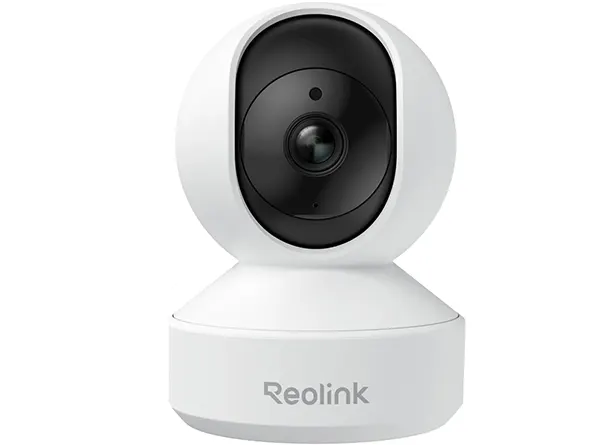
- 355° pan and 50° tilt with person and pet auto-tracking
- Dual-band 2.4GHz and 5GHz Wi-Fi
- Free local storage via microSD (up to 256GB)
- People and pet smart detection alerts
- Two-way audio and built-in siren
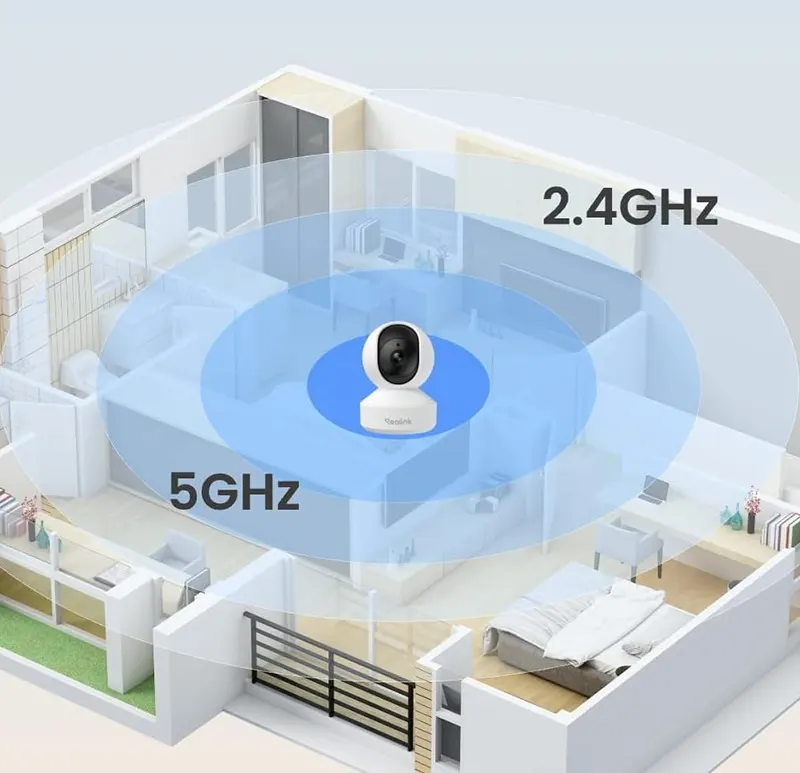
The camera supports both 2.4GHz and 5GHz Wi-Fi bands, which puts it ahead of budget competitors that only support the more congested 2.4GHz frequency. Auto-tracking keeps detected subjects centered in the frame as they move, making it particularly useful for monitoring children or pets in larger rooms.
Local storage on a microSD card handles all recording without cloud dependency, and Reolink’s desktop and mobile apps provide clean access to live feeds, recorded clips, and camera settings.
The E1 Pro also supports RTSP, which means it can be integrated into professional home automation platforms like Home Assistant for users who want advanced control.
Consumer Reports gave it strong marks for video quality and response time, and its IFA Innovation Award recognition reflects the kind of consistent engineering credibility that budget brands rarely achieve.
Main Features
✔ 4MP 2K Resolution
The E1 Pro’s 4-megapixel sensor delivers 2K footage with a level of detail that holds up well during clip review and zoom.
Text, faces, and small objects are rendered clearly enough to be identifiable, which is ultimately what matters most in a security context. The image quality exceeds what you’d expect for the price and sits comfortably above most 1080p competitors.
Consumer Reports rated the E1 Pro’s video quality as excellent in independent testing — notable praise for a camera that typically sells below $40.
✔ 355° Pan and 50° Tilt with Auto-Tracking
The near-full-circle horizontal sweep combined with vertical tilt leaves almost no coverage gaps in a standard room.
Auto-tracking activates when a person or pet is detected, keeping the subject in frame as they move through the space — handy for parents monitoring a playroom or pet owners who want to keep tabs on a free-roaming animal.
Manual pan and tilt through the Reolink app is responsive and smooth, with no noticeable lag in the connection between input and camera movement.
✔ Dual-Band 2.4GHz and 5GHz Wi-Fi
The ability to connect on the 5GHz band is a genuine practical advantage for households with busy Wi-Fi networks.
The 5GHz band offers faster data throughput and less interference from neighboring devices, resulting in a more stable video stream and quicker response times when accessing the live feed remotely.
Most cameras at this price connect only on 2.4GHz. The dual-band support here is an above-average feature that makes a real difference in network-dense environments.
✔ RTSP Support for Advanced Integration
For tech-savvy homeowners, the Reolink E1 Pro’s RTSP support allows the camera’s live feed to be integrated into Home Assistant, Blue Iris, or other advanced home automation and network video recorder platforms.
This opens up automation possibilities and recording configurations that go well beyond what a standard security camera app provides.
It’s a feature that casual users will never touch, but for those who want it, having it available in a camera at this price point is exceptional.
✔ People and Pet Smart Detection
Smart detection filters motion alerts by object type — notifying you when a person or pet enters the frame while ignoring irrelevant motion like shadows, moving curtains, or insects flying past the lens at night. This dramatically reduces notification volume without requiring you to disable alerts entirely.
All detection processing runs locally on the camera’s chip with no cloud dependency, which also means alerts arrive faster and no usage data is transmitted to external servers for processing.
⦿ Excellent video quality validated by independent testing
⦿ Dual-band Wi-Fi (2.4GHz and 5GHz) for stable connections
⦿ No subscription required — local storage only
⦿ RTSP support for Home Assistant and advanced platforms
⦿ Smart person and pet detection without cloud processing
⦿ Highly competitive price for this feature set
⦿ No color night vision — infrared only
⦿ Reolink app is functional but less polished than Ring or Nest
⦿ No Apple HomeKit support